
How to Use Your Cuisinart Food Processor in 10 Easy Steps
To use your Cuisinart food processor, first gather and wash all removable parts. Assemble the bowl, locking it securely onto the motor base.
Choose and place the right blade or disc, then add ingredients in batches to avoid overcrowding. Secure the lid and feed chute firmly.
Add liquids slowly through the chute if needed. Use pulse mode to check texture, stopping to scrape the bowl for even processing.
Unplug and clean thoroughly after use. Follow these basics to confidently master more advanced techniques.
Gather and Wash All Food Processor Parts
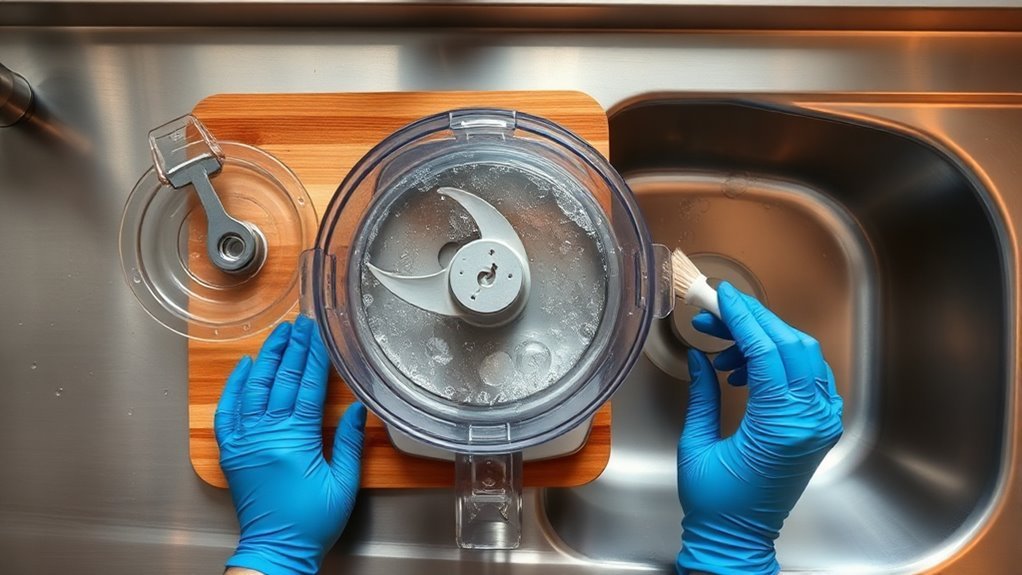
Before you start using your Cuisinart food processor, gather all the removable parts: the bowl, lid, blade, slicing and shredding discs, and feed tube. Wash them thoroughly with warm soapy water or place them on the dishwasher’s top rack.
Gather and wash all removable Cuisinart parts before first use for optimal cleanliness and performance.
When cleaning the blade and bowl, handle the metal blade and discs carefully by their plastic edges to avoid cuts and maintain sharpness. Use a soft scrubber to clean without damaging the edges.
Be sure to inspect the processor bowl and blade area for any trapped food, especially under the blade and in bowl crevices. This helps prevent bacterial growth and odors.
After washing, dry all plastic and metal parts completely with a clean towel. This avoids rust on the blade and ensures the parts lock properly when you assemble your food processor.
Assemble the Food Processor Bowl and Lock It in Place
Place the clean, dry bowl onto the motor base, aligning the bowl handle with the front of the machine. Then twist or press down until it locks securely. Proper assembly guarantees your food processor runs safely and smoothly.
Follow these simple steps to assemble the bowl and lock it in place:
- Fit the central metal post into the bowl’s center carefully.
- Lower your chosen blade or slicing disc onto the post, making sure it seats and locks firmly.
- Position the lid with the feed chute over the bowl, align the locking tabs, then press or rotate the lid until you hear a click.
- Test the safety lock by gently trying the control paddles. The processor won’t start if everything isn’t properly engaged.
Always handle blades and slicing discs by their plastic edges to avoid cuts. Never touch sharp parts directly.
Choose the Right Food Processor Blade or Attachment
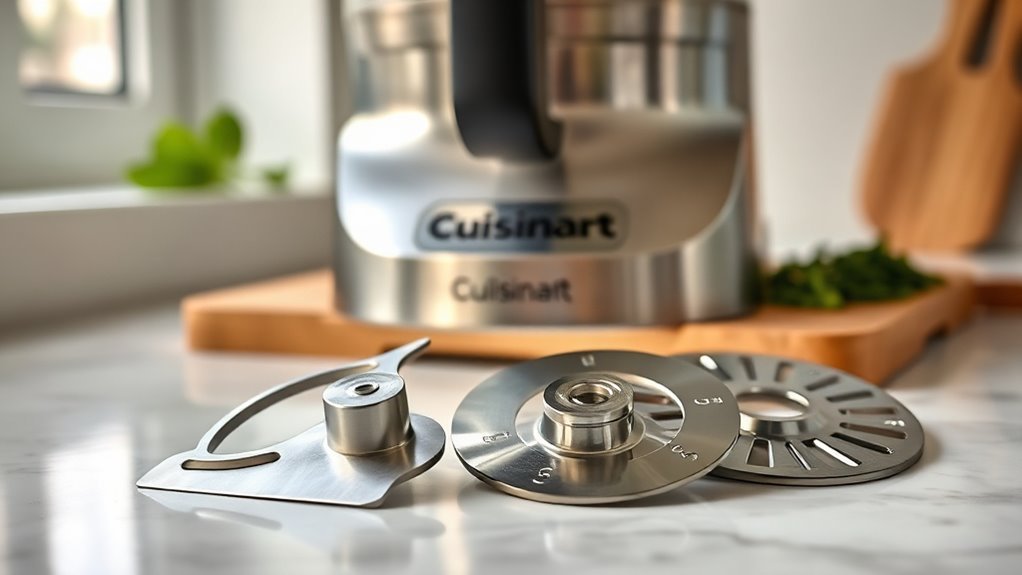
Select the right blade or attachment to get the best results from your food processor. Start with the metal chopping blade (S-shaped) for chopping vegetables, making purees, emulsifying dressings, or kneading small dough batches.
Choose the metal chopping blade for versatile tasks like chopping, pureeing, emulsifying, and kneading small doughs.
If you want uniform slices, use the slicing disc by placing it upside down on the disc stem and locking it securely. For shredding hard cheeses or vegetables, the shredding disc works quickly and consistently. When handling discs, always hold their plastic edges to avoid cuts.
If you’re processing small quantities, up to about 3 cups, the Mini-Prep blade is ideal to prevent overprocessing in the large bowl. Remember to lock the bowl and lid completely before you turn the machine on.
The powerful motor in your Cuisinart food processor handles tough tasks easily, but pause the machine if you need precise control. Use the pulse setting when chopping and continuous run when slicing or shredding to get the best outcome while the machine is running.
Add Ingredients in Batches for Even Chopping
To get even chopping results, don’t overfill your Cuisinart’s bowl—leave some space so the ingredients can move around. It really helps to add your ingredients gradually, in batches. Then, use the pulse setting in short bursts to control the chop size. This way, you’ll avoid over-processing and get consistent pieces every time.
Use Pulse Setting
Master the pulse setting by pressing it in short bursts of one to two seconds. This gives you precise control over the chop size and prevents over-processing. Using the pulse function on your food processor lets you achieve the exact texture you want, whether chunky or fine.
Follow these tips for best results:
- Add ingredients in even-sized pieces to make sure of uniform chopping.
- Work in batches to avoid crowding the blade.
- Pulse 6 to 8 times for chunky textures; increase to 10 to 15 pulses for finer chops.
- Stop and scrape the bowl between batches to redistribute food evenly.
Avoid Overfilling Bowl
Although it might be tempting to load the bowl to the top, you should avoid overfilling your Cuisinart food processor to make certain even chopping. The 14-cup bowl’s capacity means you should fill no more than two-thirds with solid ingredients, leaving a safety margin for proper movement.
Overcrowding the bowl disrupts ingredient distribution, causing uneven chopping and clumping, especially with leafy greens or herbs. By respecting the bowl capacity and adding ingredients in manageable amounts, you make certain the pulse setting works effectively for uniform results.
This safety margin also prevents leaks and reduces motor strain. Keeping ingredient distribution balanced promotes consistent chopping and slicing, making your food processor’s performance both efficient and safe every time you use it.
Add Ingredients Gradually
When you add ingredients gradually to your Cuisinart food processor, you guarantee even chopping and prevent clogs. Managing timing control and ingredient order plays a key role in this process. Temperature effects can also influence texture and consistency. Here’s how to do it effectively:
Process vegetables in small batches, keeping the bowl no more than two-thirds full to make certain even results. Use the pulse setting, adding ingredients bit by bit, and watch consistency between pulses to reach your desired size.
Alternate pulses for dense or leafy items to avoid clogging and uneven chopping. When making dough, add dry ingredients first, then liquids, pulsing gradually for perfect incorporation.
Following these steps helps you get uniform cuts and smooth mixtures every time.
Secure the Lid and Food Chute for Safe Operation
Before you start the processor, make sure the bowl, blade, and lid are fully locked in place. Cuisinart machines won’t run unless all three are securely engaged. Perform safety interlock checks by aligning the lid so the food chute sits at the back, opposite the handle.
Ensure the bowl, blade, and lid are locked; the processor won’t start otherwise.
Twist or press the lid until you hear or feel a definite lock click. This guarantees proper lock engagement and prevents accidental starts. Use chute orientation tips by verifying the feed tube cover is securely closed. Never run the machine with the chute open, even if adding liquids through it.
If the lid or chute seems misaligned or the machine won’t start, stop and unplug it immediately. Use lock engagement troubleshooting by carefully re-seating the bowl and lid without forcing them closed.
When using slicing or shredding discs, hold them by the sides, place them upside-down on the post, then lock the lid with the chute aligned to the disc opening. This guarantees safe, effective operation every time.
Choose Pulse or Continuous Mode to Begin Processing
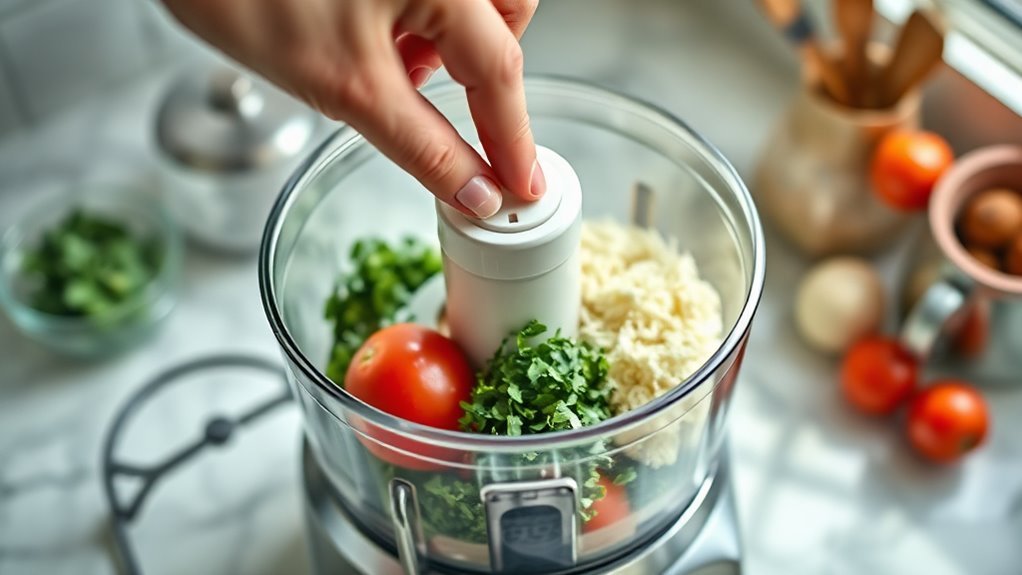
You’ll want to choose between pulse and continuous mode depending on your recipe. Use pulse for controlled chopping—it gives you more control over the texture. Continuous mode is great when you need smooth purees or when mixing dough. Just remember to always make sure the bowl and lid are securely locked before switching modes.
Pulse Mode Benefits
Although both pulse and continuous modes offer unique advantages, choosing pulse mode gives you precise control over chopping, especially for vegetables where you want to avoid overprocessing. Pulse mode lets you manage speed control in short bursts, preventing ingredients from turning mushy and maintaining ideal ingredient ratios.
Here’s why pulse mode benefits you:
- Achieve consistent chopping by pulsing in 1–2 second bursts.
- Add ingredients in batches to avoid overcrowding and secure even processing.
- Reduce noise when compared to continuous runs, making kitchen prep quieter.
- Maintain texture control, perfect for flaky dough or delicate mixtures.
Using pulse mode maximizes control and minimizes noise, helping you get perfect results every time.
Continuous Mode Uses
When you need steady, continuous motion for tasks like shredding, slicing, or pureeing thick dips, continuous mode is your best choice. Hold the paddle down to keep the motor running smoothly, which helps prevent overheating and takes care of the motor.
This mode is essential for kneading dough or making emulsified sauces. Slowly drizzle oil through the chute while blending to create a stable mixture. Using the right heat settings and avoiding prolonged runs can further protect your processor.
Continuous mode also minimizes noise compared to rapid pulsing, offering noise reduction during longer tasks. Remember, the food processor only operates when all components are securely locked. Avoid adding ingredients during continuous mode unless the recipe calls for it to ensure safe and efficient processing every time.
Switching Modes Safely
Continuous mode offers smooth, steady processing for tasks like shredding and kneading, but choosing the right mode at the start is key to getting the results you want. Before switching modes, make sure the safety interlocks are engaged; the processor won’t run unless the bowl, blade, and lid are properly locked.
Always stay aware by never opening the lid or inserting your hands while the motor is running. Follow these steps for a safe mode changeover:
- Start with Pulse for precise control or initial mixing.
- Fully press the paddle to switch to Continuous for steady processing.
- Stop the motor before opening the lid to change modes.
- Wait for the blades to stop completely before handling contents.
This careful approach helps you use your Cuisinart processor safely and effectively.
Add Liquids Gradually Through the Food Chute
You’ll want to add liquids gradually through the food chute to guarantee even incorporation and prevent splashing or overflow. When using emulsion techniques, like making mayonnaise or vinaigrette, drizzle oil slowly while the motor runs. This flow control assures the liquid blends evenly, avoiding separation.
Keep in mind, the Cuisinart 14-cup bowl holds about three cups of liquid before risking leaks, so add smaller amounts if your recipe is liquid-heavy. Consider temperature effects too. Adding warm or room-temperature liquids in a thin stream helps the processor mix them smoothly into dips, purees, or doughs without splashing.
If your recipe calls for a large volume of liquid, pause the machine, remove the lid, and pour in batches through the chute rather than all at once. Always keep the lid and bowl locked during this process. Most Cuisinart units won’t run unless properly assembled, assuring safe and effective mixing.
Pulse to Check Texture and Consistency
Although it may be tempting to run the processor nonstop, pulsing in short bursts lets you maintain control over texture and consistency. Use the pulse button in 1–2 second timing intervals to avoid over-processing and achieve the texture you want.
Pulsing in short bursts helps you control texture and avoid over-processing your ingredients.
After every 3–4 pulses, stop and perform a tactile assessment by feeling the mixture. Use visual cues to spot any unevenly chopped bits.
Here’s how to pulse effectively:
- Pulse in short bursts to prevent pureeing when you want a chunky chop.
- Check texture frequently, combining tactile assessment with visual cues.
- Add ingredients uniformly and process in batches to assure even results.
- Adjust pulse timing intervals to control moisture release. Use short pulses for coarse textures, and longer pulses for smoother mixtures.
Stop and Scrape Bowl Sides as Needed
If you notice ingredients sticking to the sides of the bowl, go ahead and stop the processor. Then, carefully grab a spatula and scrape them down. This helps prevent buildup and makes sure everything gets processed evenly. Just be sure to handle the spatula safely so you don’t accidentally touch the blades.
Prevent Ingredient Buildup
When working with dense mixtures like thick doughs or nut butters, stop the machine every 15 to 20 seconds to remove the lid and scrape down the bowl sides. This prevents ingredient buildup that can strain the motor shaft and cause uneven processing.
To maintain your food processor:
- Regularly clear ingredients from the motor shaft area to avoid jams and strain.
- Perform vent cleaning to prevent overheating caused by clogged airways.
- Inspect and clean the gasket carefully to guarantee a tight seal and avoid leaks.
- Stop frequently when shredding or slicing to remove tangled strands or large pieces.
Following these steps keeps your Cuisinart running smoothly and extends its lifespan, assuring consistent results every time.
Use Spatula Carefully
Keeping your food processor running smoothly means more than just preventing ingredient buildup. You also need to handle the spatula with care. Always turn off and unplug the machine before removing the lid to insert your spatula.
Use a flexible silicone spatula, as its material safely navigates close blade proximity without damage. When scraping, slide the spatula in at a careful insertion angle to avoid touching the sharp blades.
For dense mixtures, stop the processor every 10–15 seconds to scrape down bowl sides and the center post. This helps ensure even processing. Use a long, narrow spatula designed for food processors to reach under the blade and along the bowl wall.
After scraping, always resecure the blade and lid before restarting. This engages safety interlocks and keeps your machine running safely.
Maintain Even Processing
Although continuous processing might seem efficient, you should pulse your Cuisinart in short bursts to check consistency and prevent overprocessing. This helps maintain optimal temperature control and guarantees uniform particle size, reducing wear indicators on your machine.
To maintain even processing, follow these steps:
- Pulse in 1–2 second bursts rather than running continuously.
- Stop every 10–20 seconds to scrape bowl sides with a flexible spatula.
- For thick mixtures like dough or nut butters, scrape after every 3–4 pulses to avoid clumping.
- When shredding or slicing, pause midway to redistribute ingredients for uniform results.
Unplug and Clean Your Food Processor Parts Thoroughly
Before you start cleaning, always unplug your Cuisinart food processor to guarantee safety. Never submerge the motor base; instead, wipe it with a damp cloth and dry thoroughly.
Handle the sharp blades and discs carefully by holding their plastic centers or edges, and clean them immediately after use to prevent dullness. Wash the bowl, lid, blades, and discs in warm soapy water or place them on the dishwasher’s top rack.
Pay special attention to the feed chute and lid crevices, using a soft brush to remove trapped food bits.
To keep your food processor in top shape, follow this cleaning frequency and storage tips guide:
| Cleaning Frequency | Storage Tips |
|---|---|
| After every use | Dry parts completely |
| Weekly deep clean | Store parts separately |
| Inspect power cord | Avoid moisture buildup |
Proper cleaning and careful handling will extend your processor’s life and assure safe, efficient use.
Frequently Asked Questions
Can I Process Hot Ingredients in My Cuisinart Food Processor?
You shouldn’t process hot ingredients directly in your Cuisinart food processor because steam handling and thermal expansion can cause pressure buildup. The lid isn’t designed for venting hot steam safely, which might lead to spills or accidents.
To avoid damage or injury, let hot foods cool slightly before blending. If you must work with warm ingredients, make certain the lid venting allows steam to escape gently. But always prioritize safety and check your model’s guidelines.
What Safety Precautions Should I Take When Using the Food Processor?
You should always prioritize blade safety by handling the blades carefully and storing them out of reach when not in use.
Before plugging in your food processor, perform an electrical inspection to make sure the cord and plug are intact. Never operate the machine with wet hands.
Also, practice child supervision by keeping kids away from the processor while it’s running or when blades are exposed. These steps help you avoid accidents and keep your kitchen safe.
How Do I Store the Food Processor and Its Accessories Properly?
You should practice clean storage by thoroughly washing and drying the food processor and its parts before putting them away.
Blade care is essential. Store blades separately in a protective case or wrapped in a cloth to keep them sharp and safe.
For accessory organization, use designated containers or compartments to keep attachments neat and easy to find. This approach prevents damage, maintains performance, and keeps your kitchen clutter-free.
Can I Use the Food Processor to Knead Dough?
Think of your Cuisinart as a reliable dance partner for your dough; it can definitely knead it! You’ll want to watch the dough consistency closely, making sure it’s neither too sticky nor too dry.
The processor gives you great hydration control and mixes ingredients evenly. After kneading, use the resting technique to let gluten relax, which helps your dough rise beautifully.
Just don’t overwork it, and you’ll have perfect dough ready for baking!
What Should I Do if the Food Processor Motor Overheats?
If your food processor motor overheats, immediately stop using it and allow it to cool down for at least 15-30 minutes. Check ventilation around the motor to make sure nothing’s blocking airflow, since poor ventilation can cause overheating.
Once it’s cooled, inspect the brushes for wear or damage because worn brushes can strain the motor. If problems keep happening after these steps, contact customer service or a professional technician to avoid further damage.
Conclusion
Using your Cuisinart food processor can save you up to 70% of prep time compared to chopping by hand. By following these simple steps, you’ll make meal prep faster and more enjoyable.
Remember to always assemble and clean your parts properly for safety and longevity. With just a little practice, you’ll be whipping up delicious dishes in no time.
So, go ahead, get chopping and enjoy the convenience your food processor brings!